INTRODUCTION
The C-Pen is a portable handheld device that can be used to read printed text out lout. It was designed with the goal of promoting reading and learning that is both active and independent. The C-Pen can improve the efficiency and pace of reading with helpful features such as a built-in dictionary and storage for text and excerpts.
HOW DOES IT WORK?
The C-Pen functions with an embedded camera and real-time optical character recognition (OCR). The text to speech (TTS) feature has a natural voice.
FEATURES
Click here to download the interactive user guide from the C-Pen Website

Press the "on/off & back" button for 3 seconds to turn on the C-Pen. You will be ready to scan right away!

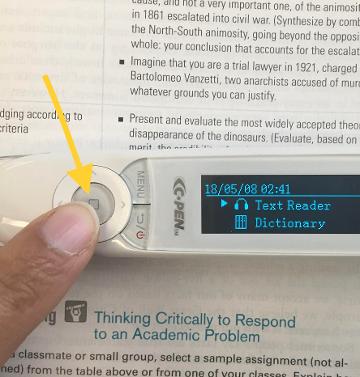
Press the "OK" button to select a function such as "text reader." The "OK" button is shaped like a circle and has the image of a square on it. Press the "up/down/left/right" arrow button located around the "OK" button to scroll up or down get to your desired choice. Use the "on/off & back" button to return to the main menu.

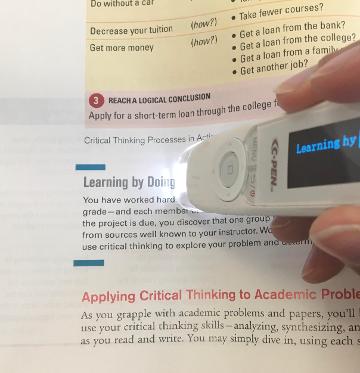
In "text reader" mode (function), press the tip ("trigger") of the C-Pen down on the printed text glide the pen across the words you want to read. A light will turn on to show that the scanner is working. You may need to adjust the angle of the pen or your gliding speed to get the C-Pen to scan properly.
You can change to left hand or right hand mode under "settings" on the main menu.

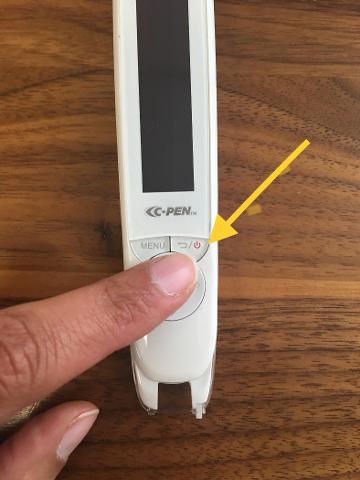
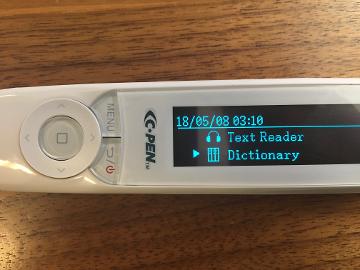
Use the "on/off & back" button to get back to the main menu. Use the "up/down/left/right" arrow button to scroll up or down through the list of additional options which include: (1) Dictionary, (2) Scan to File, and (3) Recorder. Press the "OK" button choose to a function.
Press the "on/off & back" button to return to the main menu.
C-PEN VIDEOS
Click here to watch a video about using the dictionary from the C-Pen website
Click here to watch a video about using the scan to file function from the C-Pen website
Click here to watch a video about the record function from the C-Pen website
The C-Pen used for this assignment was purchased by the Minneapolis College of Art & Design Learning Center from Amazon.com for $175. Students can borrow the C-Pen from the Learning Center.
Places to consider when looking for assistive technology:

© Copyright How to Use the C-Pen ReaderPen
Make a free website with Yola